Creator Studio
Creator Studio guide: explore the app, features, dashboard, analytics, Android download, latest version, tools, login, and more now.
Security Verified
McAfee
F-Secure
Adblock
Creator Studio
Creator Studio is a creator-focused platform designed to help content creators manage their publishing activities, content, audience interactions, and performance information from one place. For users searching for the Creator Studio app, Android version, dashboard, analytics, or download information, understanding what the platform does is more useful than simply finding an APK file.
Creator Studio has been associated with Facebook and Meta’s creator-management tools, while YouTube has its own separate YouTube Studio platform. This distinction is important because both services use similar terms such as creator tools, analytics, video management, and dashboard. This guide explains Creator Studio, its features, Android use, content tools, analytics, login process, download considerations, and its relationship with YouTube Studio.
What Is Creator Studio?
Creator Studio is a creator-management tool built around the everyday tasks involved in publishing and managing digital content. Instead of handling every task separately, creators can use a centralized workspace to work with content, review performance information, and manage their creator activities.
The platform is particularly relevant to people who regularly publish content and need an organized way to monitor what they have posted and how their audience responds. Depending on the platform and account setup, creator tools can include publishing, content organization, performance insights, audience management, and other administrative functions.
Creator Studio for Content Creators
Content creators can use creator-management tools to organize their publishing workflow. Common activities include preparing content, managing published material, checking performance, and reviewing audience interactions.
A centralized workflow can also make it easier to move between content management and analytics. Instead of treating publishing and performance as completely separate tasks, creators can use performance information to understand which content receives attention and which areas may need improvement.
Creator Studio for Community Managers
Creator Studio can also be relevant to people who help manage pages, communities, or creator accounts. Their work may involve checking published content, responding to activity, reviewing performance, and keeping creator accounts organized.
The exact tools available can depend on the platform, account permissions, and the current version of the service.
Creator Studio App
The Creator Studio app is the mobile-oriented side of the creator-management experience. A mobile creator app is useful when you need to check content or performance information without sitting at a desktop computer.
Depending on the platform and current availability, creators may use mobile tools for activities such as checking content, viewing insights, monitoring interactions, and managing account-related tasks.
The main advantage of a mobile workflow is convenience. A creator can check important information while traveling, working away from a computer, or responding to time-sensitive activity.
Who Should Use the Creator Studio App?
The app is most relevant to:
- Content creators
- Page and community managers
- Video publishers
- Social media managers
- People who regularly monitor content performance
- Creators who need mobile access to management tools
What Can You Do With the App?
Creator-management apps generally bring the most frequently used functions closer to the user. These can include content management, performance monitoring, audience interactions, notifications, and account access.
Because platform features can change, users should always check the current version and official availability before relying on a particular function.
Creator Studio for Android
Creator Studio for Android is a common search term for users who want to manage creator activities from a smartphone. Android users generally expect a mobile-friendly interface, straightforward account access, and tools that make it possible to monitor content without opening a desktop browser.
When using any Creator Studio Android application, compatibility depends on the app version, Android version, account configuration, and whether the particular app or service is currently supported.
Creator Studio Android Requirements
Before installing or accessing a creator-management application, check:
- Android compatibility
- Available storage
- Internet connection
- Required account access
- Application permissions
- Current app availability
Users should also be careful with third-party APK files. A download page that lists an old or modified APK is not necessarily evidence that it is an official current release.
Creator Studio Features
Creator Studio is most useful when viewed as a collection of creator-management functions rather than simply an app. The exact feature set can change over time, but the major areas associated with creator workflows include content management, video management, analytics, channel management, publishing, and audience tools.
Content Management
The content-management workflow helps creators keep track of the material they publish. Depending on the platform, this can include reviewing existing content, editing information, organizing material, and checking publication status.
Good content management becomes especially important when a creator publishes regularly. A structured workflow makes it easier to find older posts, review recent uploads, and maintain consistency.
Video Management
Video management focuses on handling video content throughout the publishing process. Creators may need to upload videos, review details, modify information, organize content, or check performance after publication.
A video manager is particularly useful for creators who publish frequently because it provides a central place to work with their video library.
Creator Studio Analytics
Analytics help creators understand what happens after content is published. Performance information can show whether people are viewing, engaging with, or returning to content.
Useful analytics may include views, reach, engagement, audience information, and individual content performance. The exact metrics depend on the platform.
Analytics should not be viewed simply as a collection of numbers. Their main value comes from helping creators understand audience behavior and make better-informed content decisions.
Channel Management
Channel management involves maintaining the creator’s publishing environment. Depending on the platform, this can include organizing content, checking activity, and managing account-related functions.
Creators who publish across a large library of videos or posts benefit from having these tasks grouped within a dedicated management environment.
Creator Tools
Creator tools are features designed around the practical work of producing and managing content. They can include publishing tools, content-management functions, analytics, notifications, and audience-management features.
The most useful tools are generally the ones that reduce repetitive work and make important information easier to access.
Video Editor
The phrase “Creator Studio Video Editor” can refer to video-related editing or management functions associated with a creator platform. Users should check the current product interface before assuming that a full video-editing suite is included.
For more advanced editing, creators may need a dedicated video-editing application. Creator Studio is primarily relevant to creator management and publishing workflows rather than replacing every professional editing program.
Content Scheduling
Scheduling helps creators plan content in advance where the platform supports it. Instead of manually publishing every item at the exact moment it should go live, scheduling can organize upcoming posts around a planned content calendar.
This can be useful for creators managing regular publishing schedules, campaigns, announcements, or multiple pieces of content.
Audience and Community Management
Creator tools can also help users keep track of audience activity. Depending on the platform, this may include comments, notifications, interactions, and other community-related information.
Monitoring these interactions gives creators a clearer view of how audiences respond to published material.
Performance Monitoring
Performance monitoring connects publishing with analytics. After a piece of content goes live, creators can review available performance information and use those observations to guide future content.
This creates a practical cycle:
Publish → Monitor → Analyze → Improve → Publish again
Creator Studio Dashboard
The Creator Studio dashboard is the central area where creators can access important management functions and performance information.
A useful dashboard should make frequently needed information easy to find. Depending on the product and account, this can include content, analytics, notifications, account information, and management tools.
What Can You See on the Dashboard?
The available dashboard information can vary, but common categories include:
- Recent content
- Content performance
- Audience activity
- Analytics
- Notifications
- Account information
- Creator tools
The dashboard is essentially the starting point for moving between different creator tasks.
How to Navigate Creator Studio Dashboard
Start by signing into the correct account. From there, identify the main navigation areas for content, analytics, and management. Open the relevant section rather than searching through unrelated settings.
If you manage multiple accounts or pages, always confirm that you are working in the correct account before changing content or settings.
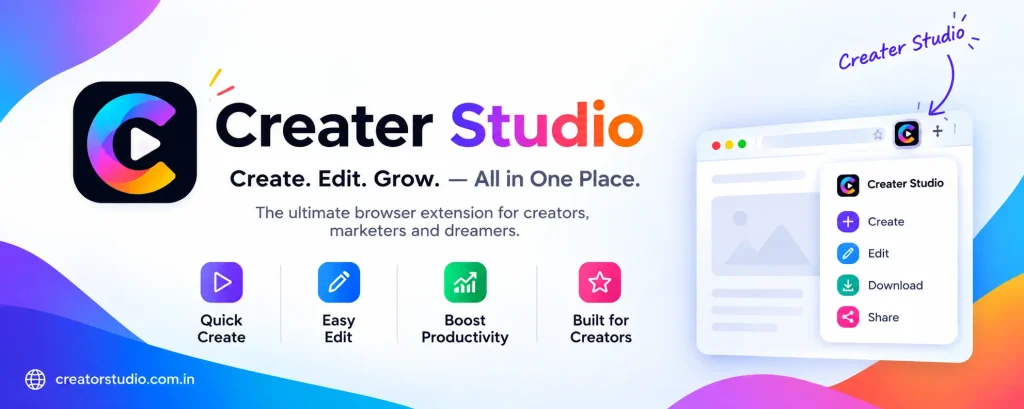
Creator Studio Video Manager
The Creator Studio Video Manager is intended to help creators work with their video library.
Typical video-management tasks can include:
- Reviewing uploaded videos
- Editing available video information
- Checking publication status
- Organizing video content
- Reviewing performance
- Managing the publishing workflow
For creators with a large video library, organization is especially important. Clear titles, descriptions, categories, and publishing information can make the library easier to manage.
Creator Studio Content Manager
The Content Manager focuses on the broader content workflow rather than videos alone. Depending on the platform, it may cover posts, videos, scheduled material, and other published content.
A good content-management workflow lets creators answer simple questions quickly:
- What have I published?
- What is scheduled?
- What needs attention?
- Which content is performing well?
- Which content requires an update?
This makes the Content Manager an important part of an organized creator workflow.
Creator Studio Channel Manager
The Channel Manager is associated with maintaining the creator’s channel or publishing environment. It can help users organize content, monitor activity, and access relevant management functions.
For creators who operate more than one account or manage content for other people, account permissions and the selected profile should always be checked before making changes.
Creator Studio Analytics
Creator Studio Analytics is one of the most valuable areas for creators because it connects content with measurable performance.
Analytics can help answer questions such as:
- Which content receives the most attention?
- How are audiences interacting with content?
- Which videos perform better?
- What type of content should be produced more often?
- Is engagement changing over time?
The available metrics depend on the platform.
Important Metrics to Understand
Common creator analytics can include:
Views: Shows how many times content has been viewed according to the platform’s measurement system.
Reach: Helps indicate how many people were exposed to content.
Engagement: Covers interactions such as likes, comments, shares, or other available actions.
Audience: Provides information about the people consuming the content.
Watch time: Particularly useful for video creators because it indicates how much time viewers spend watching.
How to Read Creator Studio Analytics
Do not judge content using a single number. A video with many views may still have weak engagement, while another video with fewer views may attract a highly active audience.
Look at multiple metrics together and compare similar content over a consistent period. This provides more useful information than reacting to one unusually high or low result.
Why Analytics Matter for Creators
Analytics can turn content publishing into a measurable process. Instead of guessing what audiences want, creators can use available data to identify patterns and adjust future content.
Creator Studio Login
Creator Studio Login generally begins with access to the relevant creator account. The exact login method depends on the platform and the current product configuration.
How to Log In to Creator Studio
Always make sure you are signing into the correct account before managing content.
Creator Studio Account Requirements
An active account and appropriate permissions may be required to access creator-management features. Some tools can also depend on whether you manage a page, channel, or other supported creator property.
Common Login Problems
If login does not work, check your internet connection, account credentials, application version, and account permissions. If the service has changed or a particular older app is no longer supported, using the current official creator-management solution may be necessary.
Creator Studio Download
Creator Studio Download is a broad search term that can refer to obtaining the Android app, accessing a supported creator-management service, or looking for an APK.
Before downloading anything, identify which Creator Studio product you actually need. A third-party page may list an APK even when the original service has changed, been replaced, or moved to another product.
For the safest experience, users should prefer official distribution channels and verify the developer, version, permissions, and source before installing an application.
Creator Studio App Download
If a supported official app is available for your device, downloading it through the platform’s recognized app-distribution channel is generally preferable to obtaining an unknown APK file.
Creator Studio Free Download
Users often search for “Creator Studio Free Download” because they expect a no-cost creator-management application. Availability and pricing can vary by platform and feature, so check the current official product information rather than relying on an old download listing.
Creator Studio APK
An APK is an Android application package. Searching for “Creator Studio APK” usually means that a user wants to install the application manually rather than through a standard app store.
Manual APK installation requires extra care because third-party files can be modified, outdated, repackaged, or distributed without the original developer’s involvement.
Creator Studio APK Download Safety
Before installing an APK, check:
- Source and publisher
- Version number
- File size
- Requested permissions
- Digital signature where available
- Whether the application is still officially supported
Avoid files that promise unauthorized premium features or request unnecessary permissions.
Creator Studio Latest Version & Update
Searches such as Creator Studio Latest Version, Creator Studio Latest APK, and Creator Studio Update usually indicate that users want to know whether they are running a current release.
Version numbers can change, and third-party download pages may continue listing older builds. Therefore, a version number found on an APK directory should not automatically be presented as the current official release.
What’s New in the Latest Version?
A legitimate update may contain:
- Bug fixes
- Performance improvements
- Compatibility changes
- Interface changes
- New or revised creator tools
- Security improvements
The exact changes should be verified against the relevant official release information.
How to Update Creator Studio
If an official app is installed through a recognized app store, check its update page for an available release. If you use a web-based creator service, the latest functionality is generally delivered through the service rather than through a separate APK update.
Creator Studio Older Versions
Older versions can sometimes remain listed on third-party download websites. However, an older APK may lack current security fixes, compatibility improvements, or supported functionality.
Using an old version simply because its version number appears on a download website does not guarantee that it will work correctly with current account systems.
Creator Studio Tools
Creator Studio tools are designed around the recurring tasks creators perform.
Content Tools
Help organize, review, and manage published material.
Video Tools
Help creators manage video uploads, details, publishing, and performance.
Publishing Tools
Help creators prepare and manage content for publication and, where supported, schedule content in advance.
Analytics Tools
Provide performance information that can help creators understand views, engagement, audience behavior, and content results.
Audience Management Tools
Help creators monitor interactions and keep track of community activity.
The exact tools available can change as platforms update their creator-management products.
Creator Studio YouTube
“Creator Studio YouTube” and “YouTube Creator Studio” are commonly used search phrases, but they should not be confused with Meta’s Creator Studio.
YouTube’s creator-management platform is called YouTube Studio. It provides tools for managing a YouTube channel, videos, Shorts, comments, analytics, and other creator activities.
Because the names are similar, users searching for Creator Studio may sometimes actually be looking for YouTube Studio.
YouTube Studio App
The YouTube Studio app is Google’s dedicated mobile management application for YouTube creators. It provides access to channel information and creator tools on supported mobile devices.
YouTube’s official documentation states that creators can use YouTube Studio Analytics to review channel and individual-video performance. Available reports include areas such as Overview, Content, Reach, Engagement, Audience, Revenue, and Trends.
On Android, the YouTube Studio dashboard can provide an overview of subscribers, channel analytics, recently published content, and recent comments.
YouTube Studio APK
A YouTube Studio APK is an Android application package associated with the YouTube Studio app. Users searching for this term should verify the source and publisher before installing any manually downloaded package.
YouTube’s official help documentation provides Android-specific instructions for accessing the YouTube Studio app and its analytics features.
For current functionality, the official app distribution route is preferable to an unknown third-party APK.
Creator Studio vs YouTube Studio
Creator Studio and YouTube Studio are not simply two names for the same product.
| Area | Creator Studio | YouTube Studio |
| Main focus | Creator/content management associated with Meta/Facebook ecosystem | YouTube channel management |
| Video management | Available depending on platform/product | Core YouTube feature |
| Analytics | Platform-dependent | Detailed YouTube Analytics |
| Audience information | Platform-dependent | Dedicated YouTube audience reports |
| Mobile management | Depends on current product availability | Official YouTube Studio mobile experience |
| Channel management | Depends on supported account | YouTube channel management |
| Creator tools | Platform-dependent | YouTube-specific tools |
YouTube’s current documentation confirms that YouTube Studio provides detailed analytics for content and channels, including reports covering content, reach, engagement, audience, revenue, and trends.
How to Use Creator Studio
The exact interface can vary, but the basic workflow is straightforward.
Step 1 – Open Creator Studio
Access the supported Creator Studio service or current official application for your platform.
Step 2 – Log In to Your Account
Sign in using the account that owns or manages the relevant creator property.
Step 3 – Open the Dashboard
Use the dashboard to identify recent content, notifications, performance information, and available management tools.
Step 4 – Manage Your Content
Open the content-management area to review published or scheduled material and make permitted changes.
Step 5 – Manage Videos
Use the video-management tools to review video information, publishing status, and available performance data.
Step 6 – Check Analytics
Review available performance metrics rather than relying on views alone. Compare similar content to identify useful patterns.
Step 7 – Use Creator Tools
Use publishing, scheduling, content, and audience tools according to the needs of your workflow.
Step 8 – Monitor Audience Activity
Review comments, interactions, notifications, and other available community information.
Creator Studio Safety & Privacy
Is Creator Studio safe? The answer depends partly on where you obtain it and which product you are using.
An official application obtained through a recognized distribution channel is different from an APK downloaded from an unknown third-party website. Users should verify the developer and application source before installation.
Creator Studio Permissions
Review the permissions requested by an application. Permissions should make sense for the functions the application provides.
If an APK requests access that appears unrelated to its purpose, reconsider installing it.
Account Security
Use strong account credentials, enable available security protections, and avoid entering login information into unofficial websites or modified applications.
Safe Download Practices
Before installing Creator Studio or any related APK:
Creator Studio Technical Information
Technical details can differ between releases and distribution sources, so they should be checked against the current verified release.
| Detail | Information |
| App Name | Creator Studio |
| Category | Creator / Content Management |
| Platform | Android and supported creator platforms |
| Version | Depends on the release |
| Android Requirement | Depends on the release |
| App Size | Depends on the release |
| Languages | Depends on the release |
| License | Depends on the distribution |
| Developer | Verify against the current official source |
Third-party app stores may display a version number, file size, download count, or update date, but these details should not automatically be treated as official current product information.
Creator Studio Pros and Cons
Pros :
Cons :
Common Creator Studio Problems & Solutions
Creator Studio Login Not Working
Check your account credentials, internet connection, account permissions, and application version. If you are using an old APK, check whether the service still supports that version.
Creator Studio Dashboard Not Loading
Try checking your internet connection and restarting the application or browser. If the issue affects multiple users, the service itself may be experiencing a temporary problem.
Creator Studio Analytics Not Updating
Analytics data may not always appear immediately. Check the selected date range and make sure you are viewing the correct account or channel.
Creator Studio App Not Installing
Confirm that your device meets the application’s requirements and has sufficient storage. If you are installing an APK, verify that the file came from a trustworthy source and is compatible with your Android version.
Creator Studio Update Not Working
Check whether an official update is available for your device and whether the installed version is still supported. Avoid repeatedly installing unrelated APK builds to solve an update problem.
Creator Studio Content Not Appearing
First confirm that you are using the correct account and that the content was actually published or saved. Account permissions and platform changes can also affect what appears in a management dashboard.
Creator Studio APK Installation Problems
An APK can fail because of incompatibility, a corrupted file, an incomplete download, or conflicts with another installed version. Verify the source and compatibility before attempting another installation.
Creator Studio Alternatives
The right alternative depends on the platform you manage.
Meta Business Suite
Meta Business Suite is relevant for users managing Facebook and Instagram business or creator activity within Meta’s current ecosystem. It is particularly useful when your workflow involves multiple Meta properties.
YouTube Studio
YouTube Studio is the dedicated management environment for YouTube creators. It provides channel management, video tools, comments, and detailed analytics.
Google’s documentation confirms that YouTube Studio Analytics includes reports for content performance, reach, engagement, audience, revenue, and trends.

Dedicated Video Editors
If your primary requirement is advanced video production rather than publishing and analytics, a dedicated video editor may be more appropriate. Editing software focuses on timelines, effects, transitions, audio, and visual production, while creator-management tools focus more on publishing and performance.
Frequently Asked Questions About Creator Studio
What is Creator Studio?
Creator Studio is a creator-management tool associated with managing content, publishing workflows, audience activity, and performance information. Its exact features depend on the platform and current product configuration.
What is Creator Studio used for?
It can be used for creator-related tasks such as content management, video management, analytics, audience monitoring, and publishing workflows where those functions are supported.
Is Creator Studio available for Android?
Android availability depends on the particular Creator Studio product and its current support status. Users should verify the current official distribution option before downloading an APK.
How do I download Creator Studio?
Use the current official distribution method for the relevant Creator Studio product whenever possible. Be cautious with third-party APK listings, especially when they advertise old or modified versions.
What is the latest version of Creator Studio?
The latest version can change over time. A version listed on a third-party APK website should not automatically be considered the current official release.
How do I log in to Creator Studio?
Open the supported Creator Studio service or application and sign in using the account associated with the relevant creator property. Make sure you select the correct account before managing content.
Does Creator Studio have analytics?
Creator-management platforms can provide performance information, although the exact analytics available depend on the product and account.
What is the Creator Studio dashboard?
The dashboard is the central management area where users can access available content, performance, notifications, and creator-management functions.
Can I manage videos with Creator Studio?
Video management is part of the creator workflow where supported. Available functions can include reviewing, organizing, editing information, publishing, and monitoring video performance.
Conclusion
Creator Studio is best understood as part of the broader creator-management workflow rather than simply as an APK download. Content creators need more than an installation file: they need practical ways to organize content, manage videos, review analytics, monitor audience activity, and keep their publishing workflow under control.
If you are looking for the Creator Studio app, Android version, dashboard, download information, or latest update, first identify the exact creator platform you need. This is especially important because Creator Studio and YouTube Studio are separate products. For YouTube creators, YouTube Studio provides dedicated channel management and analytics, while Meta-related creator workflows have their own current tools and services.
Choosing the correct platform, using a verified application source, and understanding the dashboard and analytics will help you get more value from your creator-management workflow.